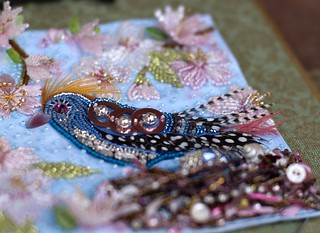
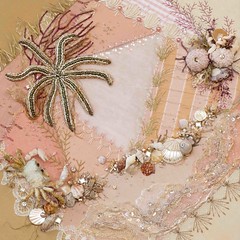
I'm in print!

OK. So I published myself...
But I'm still excited!
I have been wanting to convert my blog to a book for some time. I even went so far as to download My Publisher and started the process of creating my book.
I found I was getting bogged down in making too many decisions, trying to make the pages look perfect, and wasting time because the download took sooo long.

Then this past Spring I read on someone's blog (sorry, I cannot remember who) that they had gotten a book published on Blog2Print.
I went there and made my sample book within minutes. It was very fast, easy to preview with a very simple editor. As for customizable options, MyPublisher has them beat. But I discovered that my blog was too big to try to customize too many options.
When Blog2Print offered a discount a few weeks ago, I decided to purchase the books for both 2008 and 2009.
I am absolutely delighted with the result. I love reading through my old posts and thumbing through an entire year all in one book. They're just great!

As a note, I made the decision to conserve space by allowing the layout editor to fit my pictures on pages in order to maximize space. I think I saved about 200 pages per book by selecting this option which saved lots of money too since you pay by page over a certain amount.

I also chose hard covers with the intention of covering them myself with fabric covers. I was pleasantly surprised with the quality of the covers when they arrived so I don't think that will be necessary.
I could have added extra photo pages but going back for two years and adding them was a little overwhelming for me. Moving forward, I intend to set pictures aside as I post so that they'll all be ready to go in one file when I print my book for 2010.
Blog2Print is running a 15% discount through July 7 when you use the discount code b2psummer. Creating your sample book doesn't cost anything and you can check it out here. (Note: I have not been paid or given any free product by Blog2Print -- I'm just a happy customer.)
On another blogging note, I wanted to tell you about the results of my latest anti-spam experiment.
This past Spring, like so many of you, I was plagued by spam comments. I noticed that much of the spam was occurring on older posts. So I disabled word verification and changed my settings to review any blog comments that were on posts older than 5 days.
After two months, I'm happy to report that I only received spam once on a current post. All the rest of the spam showed up in my comments to review on older posts and I deleted them quite easily.
I just wanted to share since I know many of you don't like word verification but felt compelled to use it because of spam.
And, one last blogging note...or maybe it's more of a plea...about email permissions.
I have found that by allowing my email to be shared, I have made some amazing connections, friends and relationships through my blog. I have not, in two years, received any spam in my email. So far, for me, the benefits of sharing my email has far outweighed keeping it private.
In turn, I love it when someone leaves me a comment and I can respond via email. In that way, a conversation is continued and foundations for friendship result. For me, it's much harder to respond to questions/comments when an email address is not available. Usually it requires that I click over to someone's blog and try to respond on a post that has nothing to do with the original discussion. It's awkward, not real time and I tend not to do it very often. *sorry, gotta be honest...
If you want your email to be private, by all means keep it private. Or if you've had trouble with spam you could try writing it like playswithneedles(at)verizon(dot)net
I had a friend the other day who didn't even realize that she wasn't making her email available. So for those folks who may not know, you can check it by going to your dashboard and clicking on "Edit my profile" ... There you will find a box to check or uncheck that says "Share my email?"
Have a great weekend. *Smile.